










What is a feature flag (and how it compares to remote config and A/B testing)

Contents
Feature flags, remote config, and A/B testing all exist because deploying changes to everyone is, more often than not, a terrible idea.
Thoughts and prayers will only get you so far. Sometimes you need a kill switch, sometimes you need to tweak a value without redeploying, and sometimes you need actual data to settle the argument. Sometimes you need all three.
The tricky part is knowing which tool to reach for, because they sound similar, they overlap in places, and can be built on top of each other.
This guide breaks down what feature flags, remote configs, and A/B tests actually do, when to use them, and how they work together in PostHog – where all three are built on the same infrastructure, share the same data, and ship under one SDK.
What is a feature flag?
A feature flag (also called a feature toggle) is a conditional switch in your code that controls whether a user sees a specific feature. At its simplest, it's an if statement that checks a remote value instead of a hardcoded boolean – letting you turn features on or off without deploying new code.
Feature flags can be simple booleans (on/off) or multivariate (returning one of several variants). They're the foundation for controlled rollouts, kill switches, and internal testing – and in PostHog, they're also the infrastructure that powers remote config and A/B testing.
The core job of a feature flag is to separate deployment from release. You merge code to production whenever it's ready, and control who sees it – and when – through the flag.
In PostHog, feature flags support percentage-based rollouts (ship to 5% of users, then 25%, then everyone), targeting based on personor group properties as well as cohorts. You can also have a flag return a payload with data in any valid JSON type.
When to use feature flags:
- Progressive rollouts – Ship to a small group, monitor for issues, then expand. This is the classic canary release pattern.
- Kill switches – Instantly disable a broken feature without rolling back a deployment. No hotfix, no deploy, no waiting.
- Internal testing – Release to your team first (set email contains
@yourcompany.com), then to beta users, then to everyone. - Operational toggles – Maintenance mode, circuit breakers, or infrastructure controls that stay permanent.
Feature flags have a lot of uses, but measuring impact isn't one of them. They let you turn something on and off, but, on their own they won't tell you whether "on" is actually good. That's when you pair them with analytics and experiments.
Good to know: PostHog feature flags support web, mobile, and server-side SDKs. Flag evaluations tie directly into product analytics, so you can filter any insight, funnel, or session replay by flag value without extra setup. You can also deploy surveys targeting a specific feature flag to collect qualitative feedback alongside your rollout.
What is remote config?
Remote config lets you change configuration values in your app without deploying new code. In PostHog, it works by attaching a payload to a feature flag – a small JSON value that your app reads at runtime.
Think of it as a key-value store that lives outside your codebase. Instead of hardcoding a timeout value, API endpoint, or button label, you pull it from the flag payload and update it from the PostHog dashboard whenever you want.
This is especially valuable for mobile apps, where changes otherwise require an app store review that can take 24-48 hours. Remote config lets you adjust behavior immediately.
When to use remote config:
- Mobile app configuration – Change themes, copy, or layouts without waiting for App Store or Play Store approval. We have tutorials for iOS, Android, React Native, and Flutter.
- Parameter tuning – Adjust timeouts, rate limits, retry counts, or thresholds without a deploy.
- API endpoint switching – Point your app at a different backend for testing or failover.
- Environment-specific values – Different settings for development, staging, and production.
- Copy and UI changes – Update marketing messages, onboarding text, or button labels on the fly.
PostHog supports both encrypted and unencrypted payloads. Encrypted payloads are useful when you don't want users inspecting config values in network requests.
One important caveat: remote config in PostHog isn't real-time. Changes take effect when the app refreshes or when the SDK re-fetches flags. And you should keep payloads small and intentional – the more config values you externalize, the harder your system becomes to reason about.
A word of caution: Remote config is powerful, but it can easily become a second settings system nobody fully understands. Keep payloads small and intentional – if a value hasn't changed in six months, it probably belongs in your codebase.
What is A/B testing?
A/B testing (or experimentation) is about answering a specific question: does variant A perform better than variant B?
In PostHog, experiments are built on top of feature flags. You create a flag with variants, add experiment tracking on top, and PostHog handles random assignment, event tracking, and statistical significance calculation automatically.
The key difference from a regular feature flag is that experiments add measurement. You define a goal metric (conversion rate, revenue, engagement), PostHog splits users randomly between variants, and you get a statistically rigorous answer about which version wins.
When to use A/B testing:
- Conversion optimization – Does the new checkout flow actually convert better, or does it just look nicer?
- Feature validation – Before investing in a full rollout, test whether the feature moves the metrics you care about.
- UI/UX testing – Compare different layouts, copy, or design patterns against real engagement data.
- Pricing experiments – Test different price points with statistical confidence before committing.
- Growth experiments – Acquisition, activation, or retention campaigns where you need evidence, not opinions.
A/B testing requires sufficient traffic to reach statistical significance. If you're only getting a handful of conversions per week, you'll be waiting a long time for results. PostHog's experiment dashboard shows estimated sample sizes and will tell you when results are significant.
How it works in PostHog: When you create an experiment, PostHog creates a feature flag underneath with the variants you define. Experiment evaluations are billed under your feature flag quota – there's no separate experimentation meter. You get a dedicated experiment dashboard with automatic significance calculations and the ability to drill into session replays for each variant.
How they compare
Here's a quick reference for when you're deciding which tool to reach for:
| Feature flags | Remote config | A/B testing | |
|---|---|---|---|
| Core job | Control who sees what | Change values without deploying | Measure which variant wins |
| Best for | Rollouts, kill switches, canary releases | Mobile config, parameter tuning, copy changes | Conversion optimization, feature validation |
| Analytics needed? | Optional (but helpful) | Not required | Essential – the whole point |
| Statistical rigor | None | None | Built-in significance testing |
| PostHog implementation | Boolean/multivariate flags with targeting | Payloads attached to flags | Flags + experiment analytics |
| Billing | Per flag request (1M free/month) | Counted in flag quota | Counted in flag quota |
The overlap (and where teams go wrong)
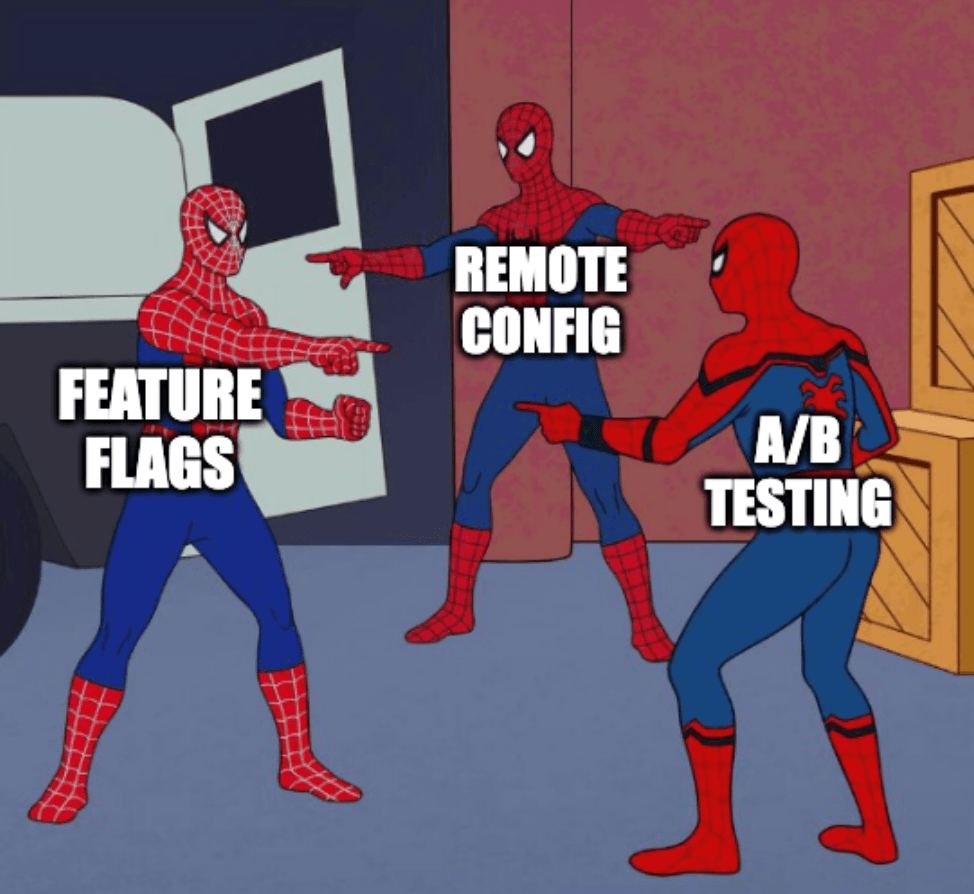
These three tools share infrastructure, which is part of why they're confusing. In PostHog, remote config is literally a payload on a flag, and an A/B test is literally a flag with experiment tracking bolted on. But using one where you need another creates real problems.
Using feature flags when you need an experiment. You roll out a new checkout flow to 50% of users with a flag and eyeball the conversion rates in product analytics. The numbers look better, so you ship it to everyone. But you didn't control for statistical significance, and the difference was actually random noise. An experiment would have told you that.
Using remote config as a feature flag system. You start storing more and more behavior in config payloads – not just colors and copy, but entire feature toggles and business logic. Now you have a distributed settings system that's harder to debug than the code it replaced. Feature flags with proper targeting rules would have been cleaner.
Using A/B tests for simple rollouts. You want to release a bug fix to a subset of users. You don't need to measure anything – you just want to control who gets it. Setting up a full experiment with goal metrics and statistical tracking is overkill. A feature flag does the job.
PostHog's unified approach
The reason PostHog bundles all three capabilities is that they're most useful when they share data. Feature flags tied to product analytics tell you what happened after a rollout. Experiments connected to session replay show you why one variant outperformed another. Remote config tracked in the same event stream lets you correlate config changes with metric shifts.
Here's what that looks like in practice:
Single SDK, single data pipeline. You install one SDK and get flags, config, and experiments. Every flag evaluation, config fetch, and experiment assignment flows into the same data warehouse alongside your analytics events, session recordings, and error tracking data.
Experiments inherit flag targeting. Because PostHog experiments are built on feature flags, you get all the same targeting capabilities: person and group properties, cohorts, percentage rollouts. And you can go from "rolling out a feature" to "running an experiment on that feature" by adding experiment tracking to an existing flag.
One bill. Feature flag requests, remote config fetches, and experiment evaluations all count toward the same quota. You get 1M flag requests free per month, and everything after that is $0.0001 per request. No separate experiment pricing, no surprise bills from a tool you forgot about.
Shared analytics context. Filter any funnel, trend, or path analysis by feature flag value. Watch session replays filtered by experiment variant. Create cohorts based on flag exposure and track their behavior over time.
This matters because the alternative – stitching together a feature flag service, an experimentation platform, and an analytics tool – creates data integration work that never ends.
You're constantly mapping user IDs across systems, reconciling event timestamps, and building pipelines to answer questions that should be simple. Not fun (and a waste of time, if you ask me).
Practical decision framework
When you're staring at a product change and wondering which tool to use, run through this:
"I need to control who sees this change." → Feature flag. Progressive rollout, kill switch, internal testing, beta access – all flags.
"I need to change a value without deploying." → Remote config. Especially for mobile apps, operational parameters, or environment-specific settings.
"I need to know if this change actually improves something." → A/B test. Set up an experiment with a clear goal metric and let the data tell you.
"I need to roll out a change AND measure its impact." → Use both. Feature flag for the rollout, experiment for the measurement.In PostHog, experiments are built on feature flags – so you get rollout control and measurement in one. Adjust the rollout the same way you would any flag.
"I need to adjust a value AND measure which value works best." → Remote config for the mechanism, A/B test for the measurement. Test different timeout values, price points, or copy variations.
Limitations to know about
PostHog is transparent about where its feature management capabilities have gaps, and it's worth knowing before you commit:
- Not real-time. Flag changes and config updates require a page or app refresh to take effect. PostHog SDKs handle polling automatically, but changes won't be instant.
- No CUPED or mutex groups. If you're running sophisticated experiments at scale – variance reduction techniques, overlapping experiment isolation – PostHog doesn't support these yet.
- Dynamic cohort targeting limitations. You can't target flags to cohorts with dynamic attributes (like "users who did X in the last 7 days"), only static, which can be limiting for behavioral targeting use cases.
For many teams – especially engineering-led startups and growth-stage companies – these trade-offs are fine. You get flags, experiments, config, analytics, session replay, surveys, error tracking, logs, LLM observability, and a lot more in one platform with a generous free tier. If you need enterprise governance or advanced experimentation features, tools like LaunchDarkly or Statsig may be better fits for those specific needs.
Frequently asked questions
Can I use feature flags and experiments at the same time?
Yes – this is actually the recommended workflow. Use a feature flag for the controlled rollout, then add experiment tracking to measure impact. In PostHog, experiments are built on feature flags, so it's the same flag with analytics layered on top. All usage counts under a single flag request quota.
How quickly can I set up all three?
Feature flags and remote config both take minutes – install the PostHog SDK, create a flag, and you're live. Remote config just adds a payload to the flag. Experiments take a little longer because you need a goal metric defined, but you can use autocaptured events right away – one of the perks of having analytics and experimentation in the same platform. No separate integration setup.
How does PostHog handle statistical significance?
PostHog tracks exposures for each variant, calculates goal metrics across experiment groups, and uses either Bayesian or frequentist statistics to determine whether the differences are statistically significant. The experiment dashboard shows results in real time and estimates how long an experiment needs to run based on your traffic. PostHog doesn't currently support advanced techniques like CUPED for variance reduction, but covers the fundamentals well for most teams.
Is remote config the same as feature flags?
Not exactly. In PostHog, remote config is a payload attached to a feature flag – so it uses the same infrastructure. But the intent is different. A feature flag controls whether something is on or off. Remote config controls what value something has. A flag might say "show the new pricing page." Remote config on that flag might say "set the price to $29/month."
See our guide on feature flags vs configuration for a deeper dive.
What if I don't have enough traffic for A/B testing?
Statistical significance requires a minimum sample size, and low-traffic products may wait weeks or months for results. If you're in this situation, consider testing higher-impact changes (which need smaller sample sizes to detect), running tests on higher-traffic pages, or using qualitative methods like session replays and surveys alongside your experiments.
Can I migrate from LaunchDarkly or another feature flag tool?
Yes. PostHog's feature flag SDK is straightforward to adopt incrementally – you can start by creating new flags in PostHog while keeping existing ones in your current tool, then migrate over time. The feature flags documentation covers setup for every major platform.
We also have a dedicated LaunchDarkly migration guide if you want to move everything at once.
What are the best A/B testing tools in 2026?
The top A/B testing tools in 2026 include:
- PostHog – Best for engineering-led teams that want experimentation, feature flags, analytics, session replay and more in one platform
- GrowthBook – Best open-source option for teams that want warehouse-native experimentation with advanced statistical methods
- Statsig – Best for teams running high-volume experiments that need CUPED variance reduction and sequential testing
- Optimizely – Best for enterprise teams needing advanced personalization alongside experimentation
- VWO – Best for CRO and marketing teams wanting a visual editor with solid statistical rigor
- LaunchDarkly – Best for teams that prioritize feature flag management and want experimentation as an add-on
For more alternatives, see our guide to the best open-source A/B testing tools.
What are the best feature flag tools in 2026?
The top feature flag tools in 2026 include:
- PostHog – Best for teams that want feature flags integrated with product analytics, experiments, session replay, and more in one platform
- LaunchDarkly – Best for enterprise teams needing advanced governance, approval workflows, and broad SDK support
- Flagsmith – Best open-source feature flag tool for teams that need self-hosting with remote config
- GrowthBook – Best for data teams that want feature flags tightly coupled with warehouse-native experimentation
- Statsig – Best for teams that want free unlimited feature flags alongside advanced experimentation
- DevCycle – Best for teams wanting low-latency edge-based flag evaluation
For a deeper comparison, see our guide to the best feature flag software for developers.
Further reading
PostHog is an all-in-one developer platform for building successful products. We provide product analytics, web analytics, session replay, error tracking, feature flags, experiments, surveys, LLM analytics, data warehouse, CDP, and an AI product assistant to help debug your code, ship features faster, and keep all your usage and customer data in one stack.